A calm page to write your novel
FoxQuill is a desktop app for writing novels, offline. The bars fade while you type, and scenes, story cards, and a corkboard wait for when you plan.
FoxQuill is for Windows, Mac, and Linux computers. Open this page on your computer to download it.
Free for 14 days. No card needed. For M1 and newer. On an Intel Mac, get the Intel version.
Chapter I
Playing Pilgrims
“Christmas won’t be Christmas without any presents,” grumbled Jo, lying on the rug.
“It’s so dreadful to be poor!” sighed Meg, looking down at her old dress.
“I don’t think it’s fair for some girls to have plenty of pretty things, and other girls nothing at all,” added little Amy, with an injured sniff.
“We’ve got Father and Mother, and each other,” said Beth contentedly from her corner.
The four young faces on which the firelight shone brightened at the cheerful words, but darkened again as Jo said sadly, “We haven’t got Father, and shall not have him for a long time.” She didn’t say “perhaps never,” but each silently added it, thinking of Father far away, where the fighting was.
A program you own
Some apps charge by the month and keep your book on their servers. FoxQuill keeps yours on your own computer, with no account, and never reports what you write. Each day it is open, it saves every book as plain text you can open anywhere, and before an update changes how your books are stored, it saves a full copy.

A page that steps back
Start typing and the bars fade away. Move the mouse and they come back. Enter on a second empty line starts a new scene, chapters number themselves, and paragraphs are indented, with a drop cap if you like. Set aside keeps a cut passage in the Kept tab.

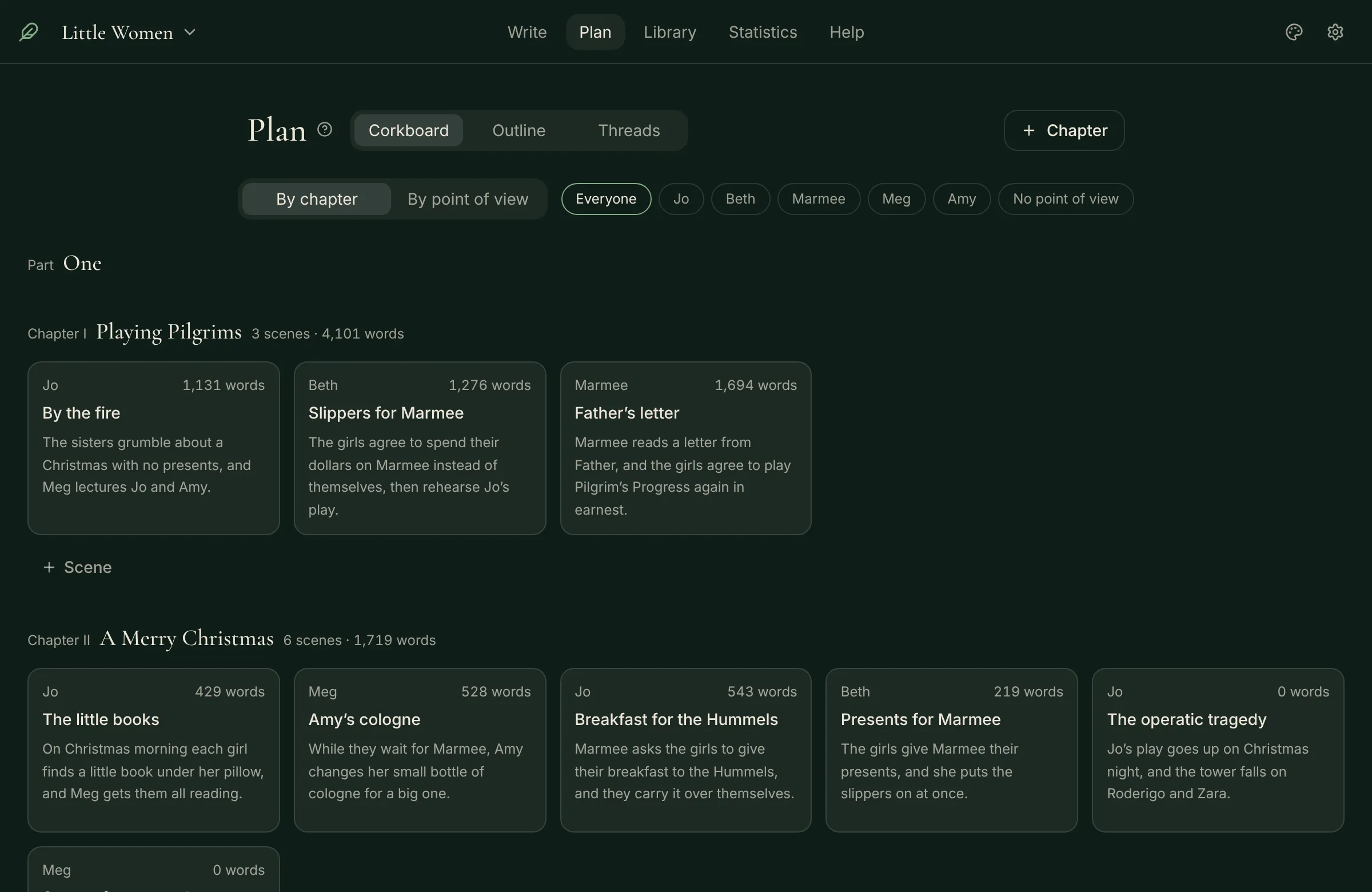
Plan on a corkboard
The Plan tab opens on a corkboard with a card for each scene, and an outline lists the same scenes. A new install starts simple, with Threads and a few more tools behind Show more tools in Settings.

Organize your world in cards
Keep a card for every character, place, and thing in the story, with fields of your own. FoxQuill notices when a scene names one, and the map draws how they connect.
Watch the book grow
Set a goal for the day and one for the whole book. A bar along the cover fills toward it, and a book with no cover gets one drawn from its title.

Four themes
Forest, Paper, Ink, and Dusk. One theme follows you across your books, and this page changes with the one you pick.


Who makes it
I am Caleb Ellis, and I make FoxQuill on my own, with AI coding tools to help me build it. The app has no AI of its own, and its AI tools are off until you turn them on. While they are off, nothing leaves your computer for an AI; once on, only what you choose goes to the server you set. If something is wrong, write to me at foxquillstudio@gmail.com.
Caleb Ellis
Try it free for 14 days
Then US$59 once, or US$4.99 a month. More about pricing.
FoxQuill is for Windows, Mac, and Linux computers. Open this page on your computer to download it.
For M1 and newer. On an Intel Mac, get the Intel version. The first time FoxQuill opens, you allow it once in System Settings. Here is how. Windows may show a warning the first time you run the installer. Here is why. One AppImage file for Linux. Make it executable, then open it.